Work / Construction technology / Case study 01
ROMinator + Module Configurator
A self-serve estimating tool with a built-in building configurator. Describe a project and get a rough-order-of-magnitude budget and timeline in about a minute.
What it does
Early in a pursuit, a modular builder needs a rough-order-of-magnitude (ROM) budget before there is a design. In ROMinator, a user signs in with a company Google Workspace account, describes the project in a short form, and gets a budget figure with its range and an indicative timeline in about a minute.
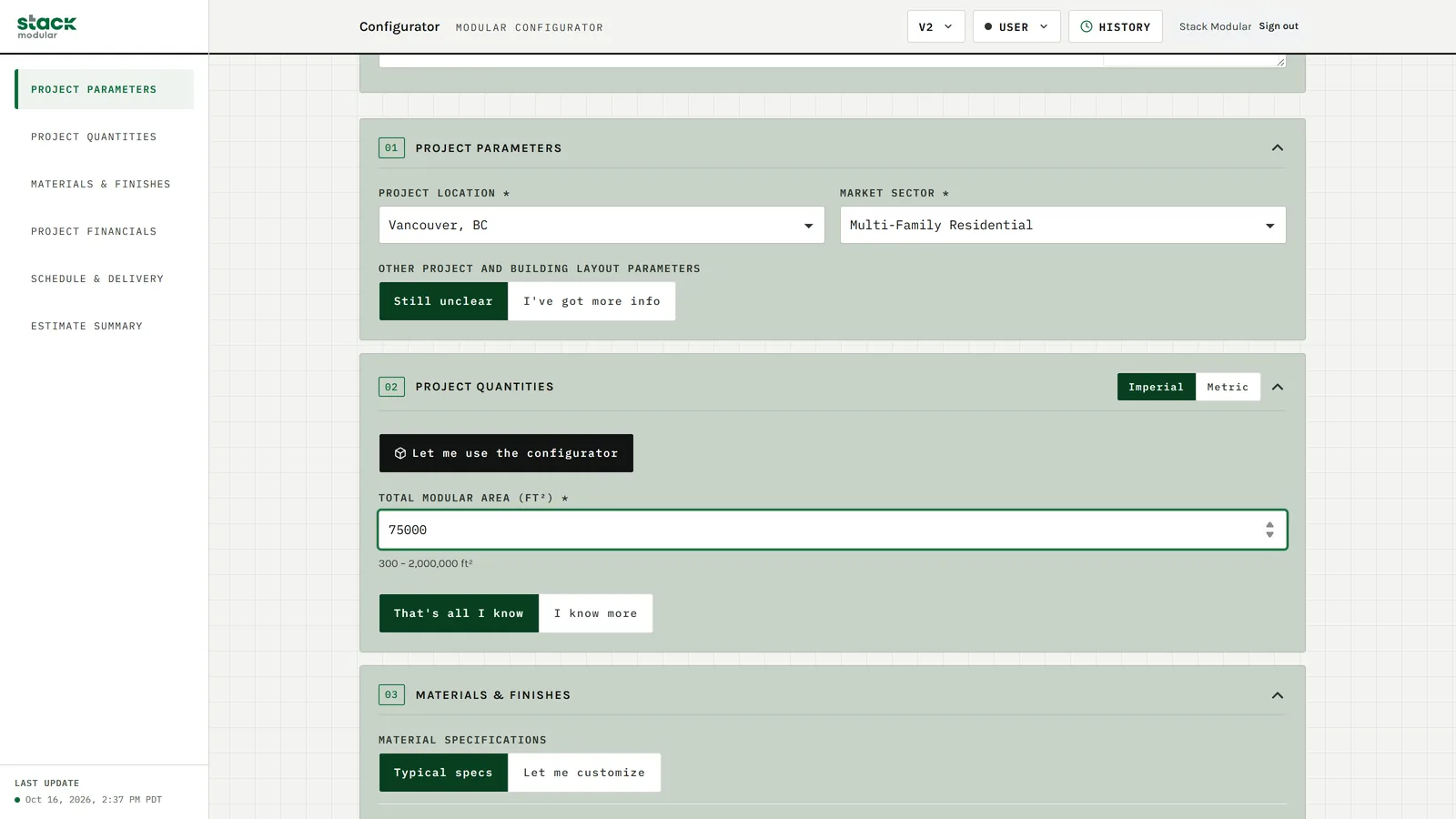
The answer comes back as one sheet: the budget per square foot and in total with its accuracy range, the key milestones, a phase-by-phase schedule from preconstruction to the last module on site, and the shipping route from the factory.
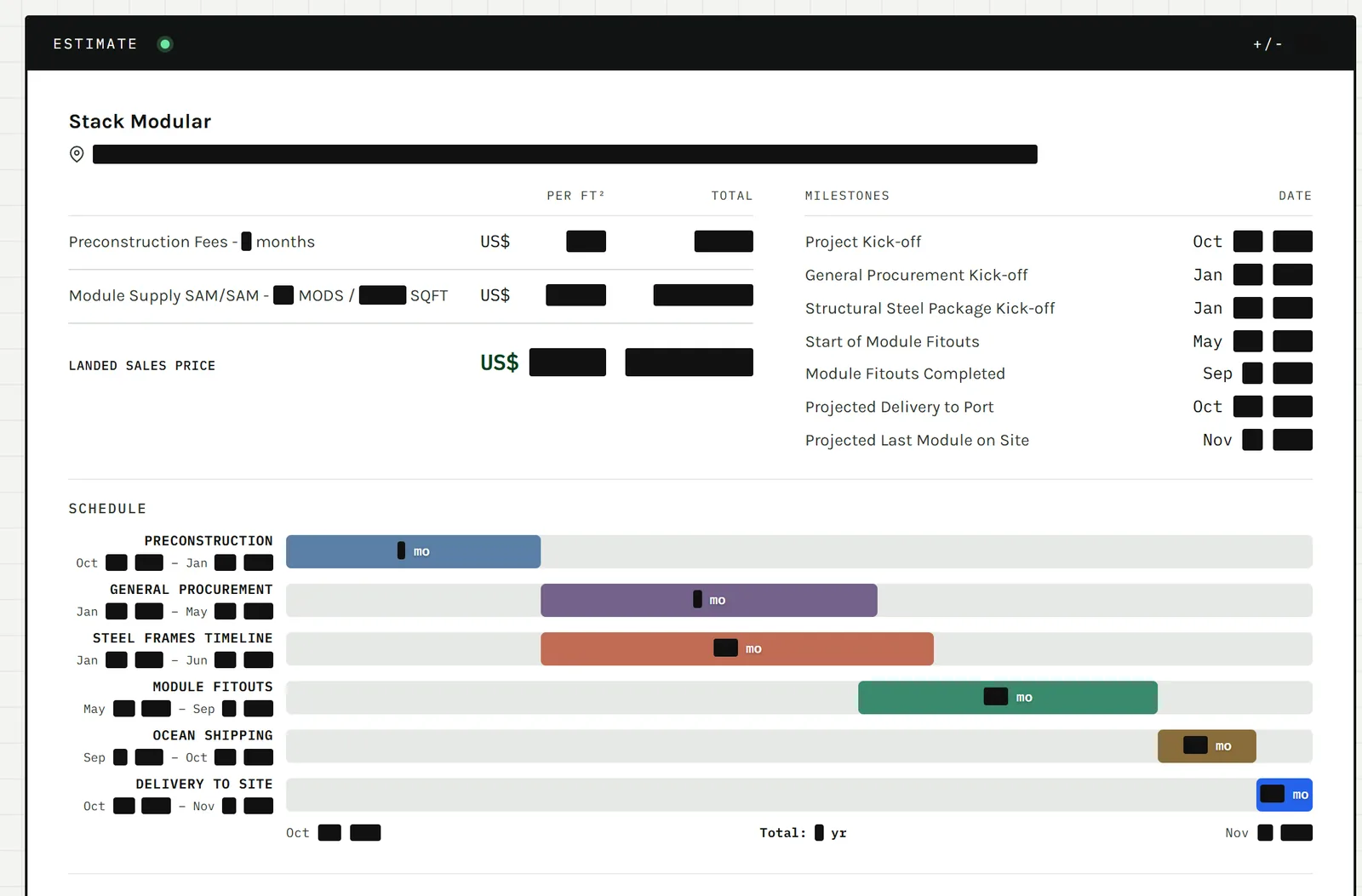
The estimate can be exported as a print-ready PDF. The user picks which pages to send and sees a live preview first.
The Module Configurator
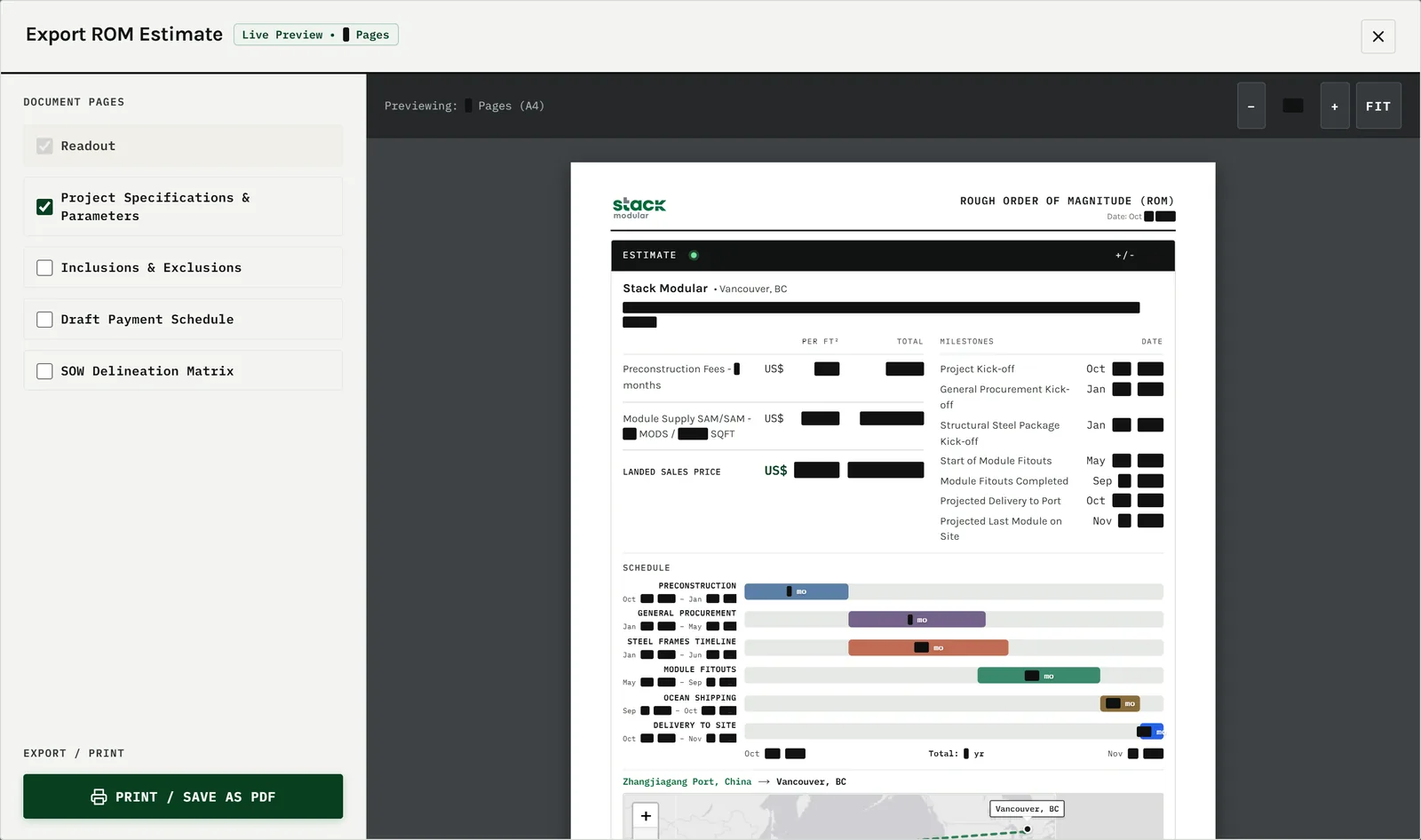
Often nobody knows the module count or the suite breakdown yet, but those quantities drive the price. Instead of guessing them, the user can build the project in the Module Configurator:
- choose a single-loaded or double-loaded corridor;
- pick the module width and length from the same options the estimate accepts, so the drawing and the numbers always agree;
- set the modules per row, the floor-to-floor height and the number of floors, with the overall dimensions shown as you go;
- add stair cores;
- choose a suite mix, from studios to three-bedroom units, and let the tool find the best combination of up to four typical floors for it;
- watch the modules lay out in a 2D plan and a 3D massing view, coloured by suite type, with floors, module count, footprint, gross area and wet and dry module counts updating live.
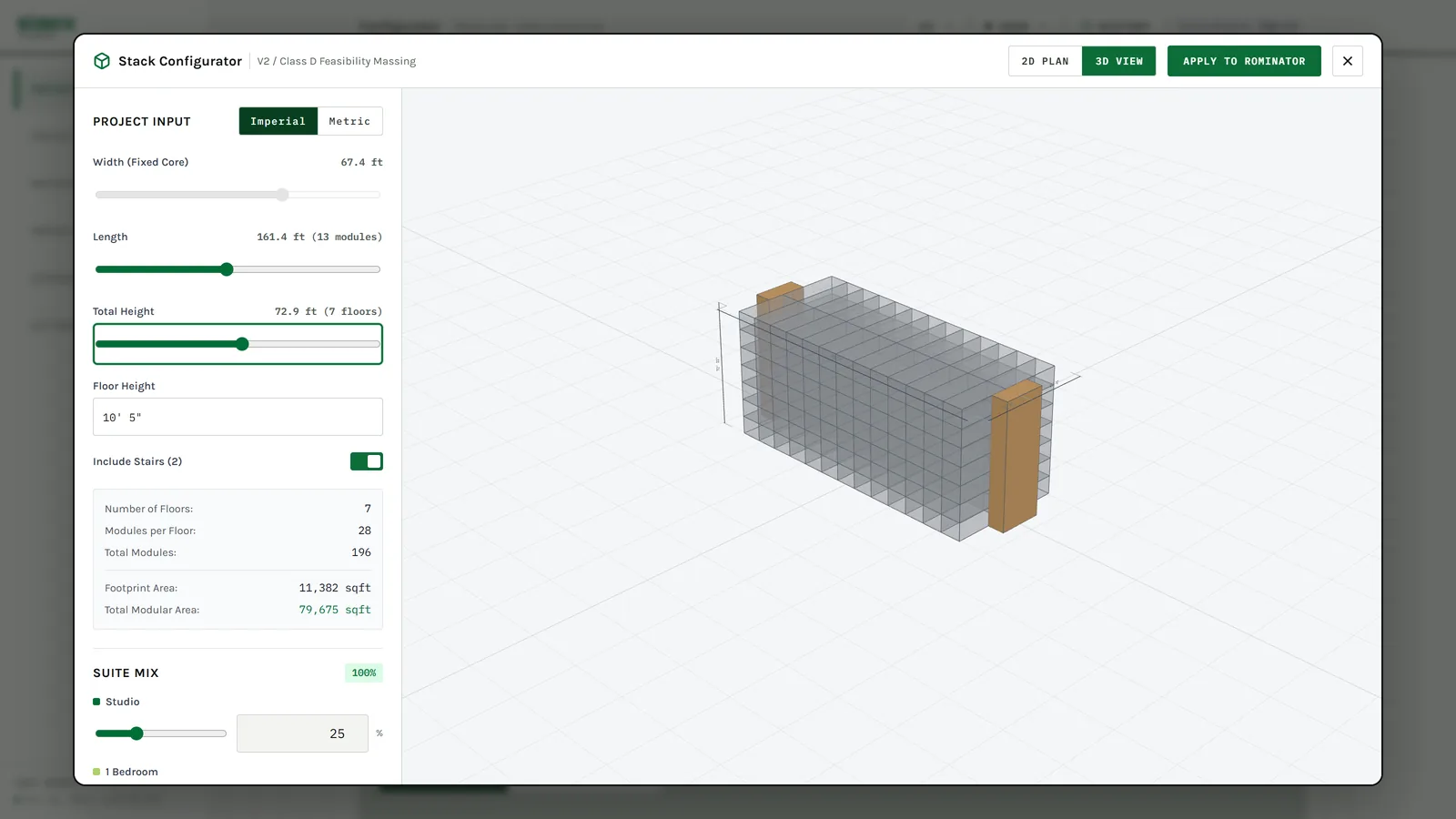
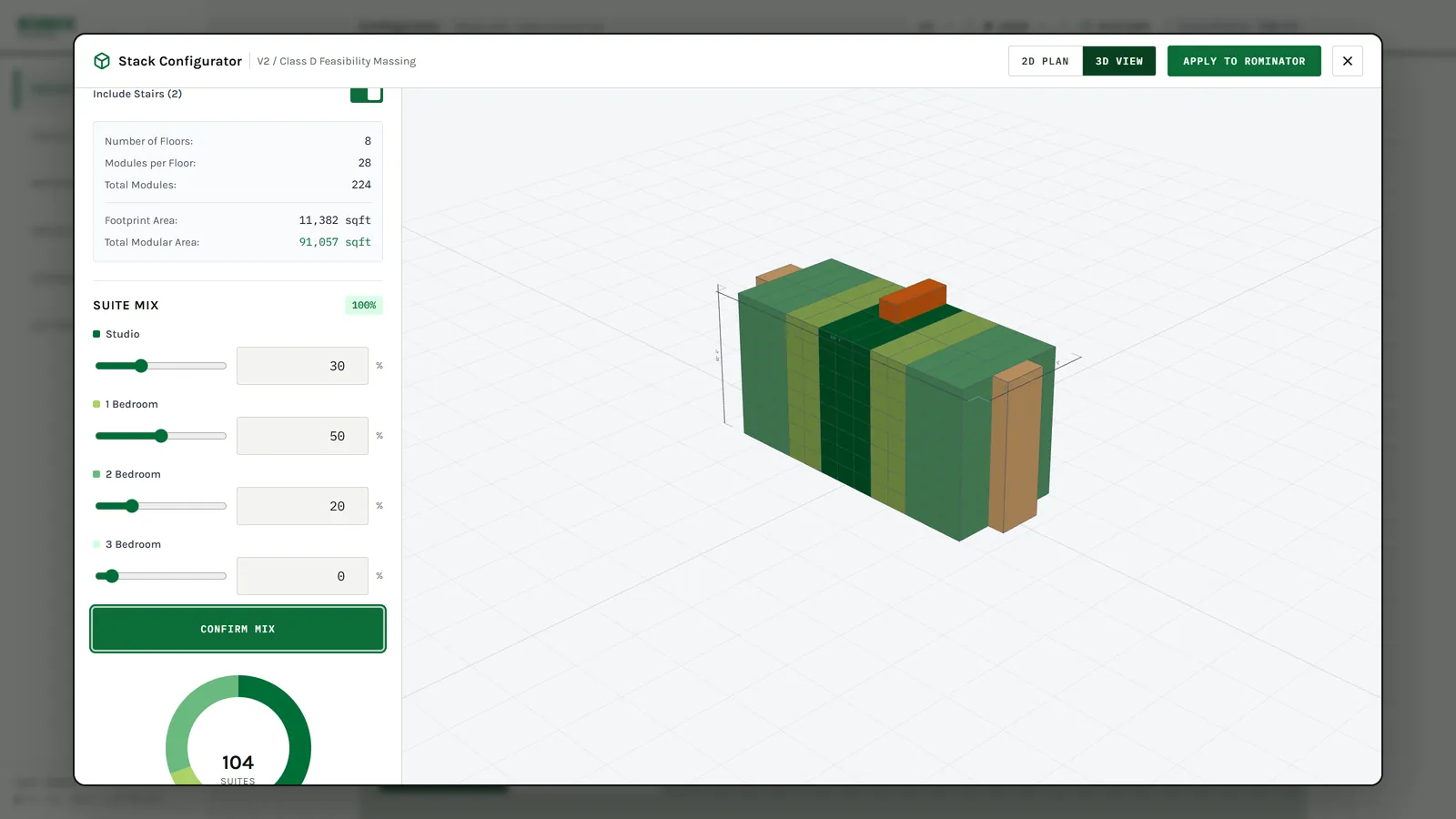
When the layout looks right, one click sends its quantities into the estimate. The numbers come from a building someone can see and check, not from a typed guess.
Design decisions
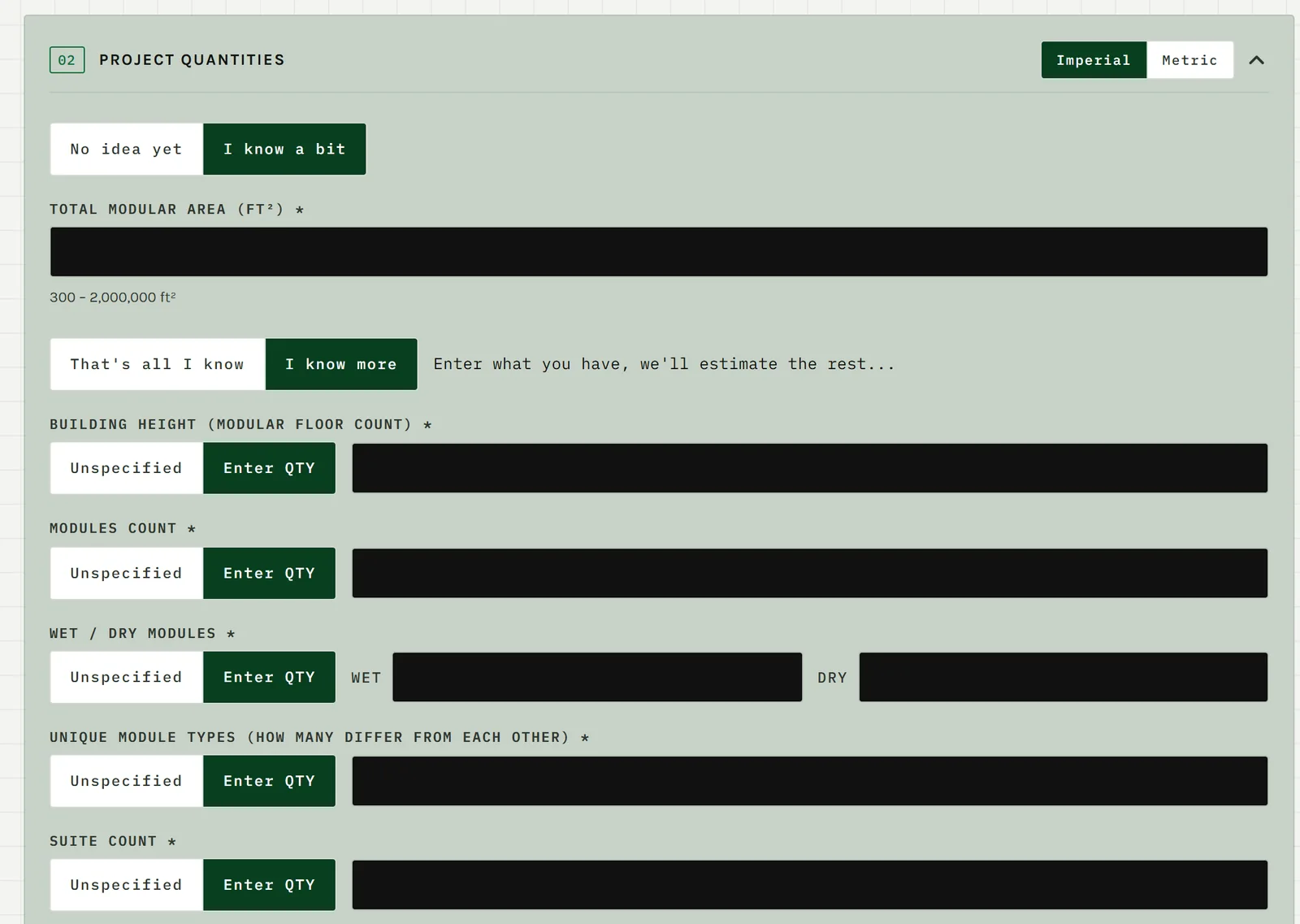
Ask for what people actually know. Each input says how sure the user is. “Unspecified” is an explicit choice, not a silent zero, so a missing answer never turns into missing scope.
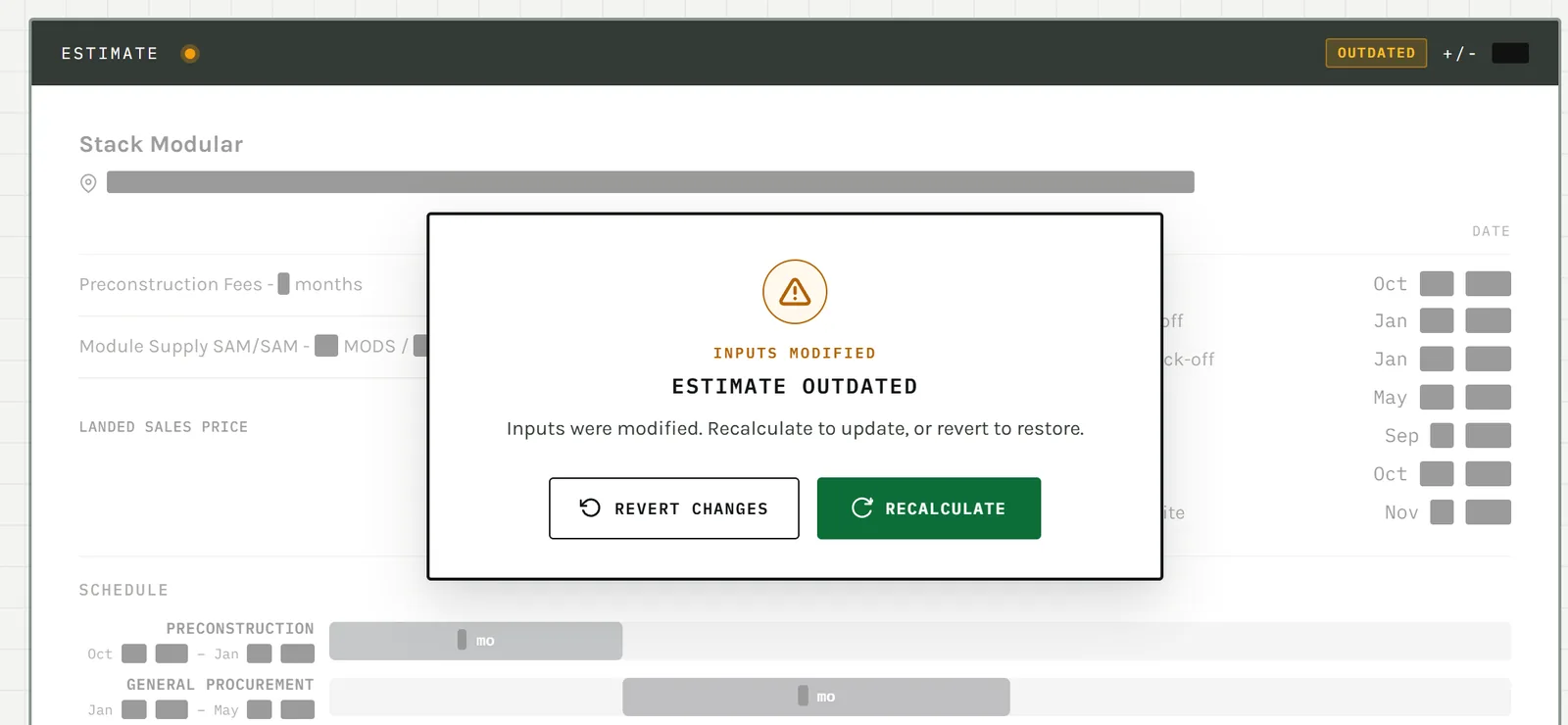
Keep a result tied to the inputs that produced it. Changing any input flags the current estimate as outdated until it is recalculated or the change is reverted.
Leave pricing with the people who own it. The estimating team maintains the prices. When they change, the next estimate uses them, with no developer and no release.
My contribution
I owned it from problem to rollout:
- mapped the estimating workflow with the estimating team and wrote the requirements;
- designed the interface, laid out like a spec sheet the team already reads;
- designed and built the Module Configurator;
- built the application and its automated tests;
- ran the review sessions and the rollout to the team.
How it is used
Sales, business development and the leadership team use ROMinator in early conversations with clients, to put a budget range and a timeline on the table from the first meeting.